

 BizTut Team
Disclosure: This post contains affiliate links. If you buy through them, BizTut may earn a commission at no extra cost to you. We only feature tools we think are relevant to our readers, and this doesn’t change our opinion.
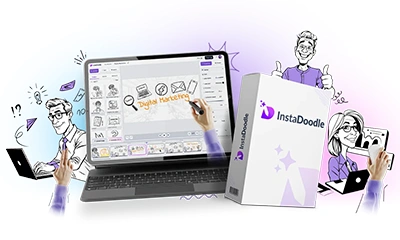
Explainer videos are one of the clearest ways to show what your product or service does, but hiring an animator can cost hundreds of pounds per video. InstaDoodle aims to close that gap. You type an idea, and it builds a hand-drawn “whiteboard” style video that you can edit, voice and export yourself.
This review covers what the tool does, who it suits, what’s included, the pricing and upgrades, and the points to consider before you buy.
What is InstaDoodle?
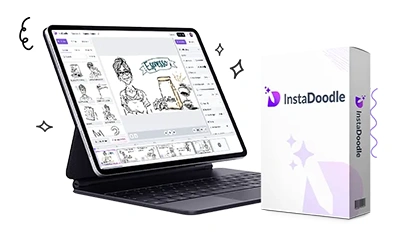
InstaDoodle is a browser-based whiteboard animation tool. You don’t install anything. It runs on Mac, Windows or any device with a modern browser, and your projects are saved in the cloud. Its AI engine, which the vendor calls DoodleAI, generates characters, objects and backgrounds from a text prompt in a doodle, cartoon, caricature or realistic style. You can also turn your own photo or logo into a sketch.
See it in action
The vendor’s demo walks through building a video from scratch:
How it works
- Describe your idea. Type what you want to show, for example “a café owner checking orders on a tablet”, and the AI generates the drawing.
- Build your scenes. Arrange characters, objects and text into slides, or start from one of the ready-made templates.
- Animate and voice it. Choose how each element appears (draw, wipe, slide, fade or pop-in), add transitions, then record your own voiceover and add background music.
- Export. Download in 16:9 for YouTube and websites, 9:16 for Reels and TikTok, or 4:5 and square for social feeds.
What’s included
According to the vendor, the standard version includes:
- Unlimited videos, in any language
- A drag-and-drop editor and ready-made templates
- A library of 1,000+ ready-made doodles (characters, arrows, speech bubbles and more)
- The DoodleAI engine, with 150 AI credits for generating drawings
- Photo-to-doodle conversion and an image editor with background removal
- Several drawing-hand styles and animation types
- 1080p HD export
Who is it for?
- Small business owners who want a short explainer for a homepage, product launch or social ad without hiring an animator.
- Course creators and trainers making lessons, onboarding or staff training videos.
- Freelancers and agencies who want to offer explainer videos as a paid service. Check the licence terms first (see below).
Here’s a sample the vendor made with InstaDoodle for business owners, which gives a feel for the finished style:
Pricing
Through our link, InstaDoodle is sold as a one-time payment with no monthly fee. At the time of writing it’s $27 in a Black Friday promotion. The same offer is normally listed at $37. Prices are in US dollars, so what you pay in pounds depends on the exchange rate.
After checkout you’ll be offered two optional upgrades:
- Pro upgrade, $97: 3,000+ extra elements and characters, more drawing hands, 2K and 4K export, custom fonts, faster AI with priority access, and unlimited slides per project.
- AI Wizard, $67 (one-time): an AI script generator, AI voiceovers, automatic project creation and multilingual videos.
You don’t need either upgrade to make videos. Start with the base version and only upgrade if you hit a limit. InstaDoodle’s main website sells the tool as a monthly subscription instead ($47 to $127 a month), so the one-time deal is a cheaper way in. It’s a promotional offer and may change, so check the sales page for the current price and terms before you buy. There’s no free trial, but there is a 60-day money-back guarantee.
Pros and cons
What we like
- A low one-off price compared with subscription animation tools or hiring an animator.
- Fully browser-based, so there’s nothing to install and you can work from any computer.
- Generating custom drawings from a prompt removes the main limit of older doodle tools: a fixed image library.
- Exports for every major format from one project, which suits social media as well as websites.
- A long 60-day guarantee lets you test it on a real project.
What to weigh up
- Expect upsells after checkout. Decide your budget before you buy.
- “Lifetime” has limits. The vendor says the discounted one-time offer comes with a support guarantee for two years from purchase.
- The base version’s 150 AI credits limit how many drawings you can generate. Heavy users may need to upgrade.
- Commercial use: on InstaDoodle’s subscription plans, the commercial licence starts at the Pro level. If you plan to make videos for clients, confirm what your purchase covers with the vendor first.
- The sales page leans on marketing claims and testimonials the vendor says it does not verify. Judge it on a project of your own.
- A good video still needs a clear script. The tool handles the visuals, not the message.
A note for UK users
InstaDoodle is sold through ClickBank, a US payment platform, so your bank statement may show ClickBank rather than InstaDoodle. Card payments in dollars can attract a foreign transaction fee from some UK banks. If you’re VAT-registered, keep the receipt for your records. If you use the videos in advertising, make sure any claims in them follow the ASA’s CAP Code.
Verdict
InstaDoodle is a practical, low-cost way to make whiteboard explainer videos yourself, without design skills or an animator’s budget. The AI drawing generator and browser-based workflow make it more flexible than older doodle software, and the one-time price makes it easy to try. Go in with a clear script, skip the upgrades until you need them, and check the licence if you plan to sell videos to clients.
Results depend on your own effort, skills and market. BizTut makes no claims about what you’ll achieve with this or any other tool. Prices were checked on 7 November 2026.